Best Multi-Slot Card Readers: BENFEI Leads the Set

Slot count is the wrong place to start. Connector type decides which of these seven readers actually plugs into your laptop, and only some of them cover both USB-C and USB-A.

By Sam BaileyUpdated 17 min read
On this page
- Best compact multi slot memory card reader at a glance
- Which buyer does each reader actually fit?
- Why slot count is the wrong place to start
- How compact is compact, in inches and ounces?
- 1. BENFEI Memory Card Reader — Best overall
- 2. RRSITIAU SD Card Reader, 4 in 1 USB C to SD/TF/CF/MS Card — Runner-up
- 3. SmartQ C368 USB 3.0 Card Reader — Best budget pick
- 4. UGREEN SD Card Reader USB 3.0 Card Hub Adapter — Best for small spaces
- 5. acer SD Card Reader USB C — Best for beginners
- 6. ZIYUETEK CF Card Reader, USB 3.0 — Best for heavy use
- 7. Rocketek USB3.0 Multi-Card Reader — Best premium
- What the listings don't tell you about card readers
- When a different pick wins
- The verdict
- FAQ
The best compact multi slot memory card reader is the BENFEI 4-in-1, because it carries both a USB-C and a USB 3.0 plug in one 2.82 oz body and takes SD, microSD, MS and CF at once. If every machine you own is USB-C only, the RRSITIAU 4-in-1 does the same four slots with a detachable USB-C-to-USB-A adapter instead. The deciding specification here isn't slot count. It's the connector, and only three of these seven cover both port types without a dongle.
Best compact multi slot memory card reader at a glance
| Pick | Card slots | Connector | Price |
|---|---|---|---|
Best overall BENFEI Memory Card Reader |
SD, microSD, MS, CF | USB-C + USB-A, both fixed | Check Price |
Runner-up RRSITIAU 4 in 1 Card Reader |
SD, TF, CF, MS | USB-C + detachable adapter | Check Price |
Best budget pick SmartQ C368 USB 3.0 Card Reader |
SD, microSD, MS, CF | USB-A only | Check Price |
Best for small spaces UGREEN SD Card Reader USB 3.0 |
SD, microSD, CF, MS | USB-A on 1.7 ft cable | Check Price |
Best for beginners acer SD Card Reader USB C |
SD, microSD | USB-C and USB-A claimed | Check Price |
Best for heavy use ZIYUETEK CF Card Reader USB 3.0 |
SD, microSD, CF, MS, M2 | USB-A only | Check Price |
Best premium Rocketek USB3.0 Multi-Card Reader |
CF, 2x SD, TF, microSD, XD, MS | USB-A only | Check Price |




Which buyer does each reader actually fit?
I built this set around four buyer profiles rather than a scoring sheet, because a card reader either fits your ports and your cards or it's a paperweight. The seven picks split cleanly.
- The mixed-machine shooter. A USB-C laptop at home, a USB-A tower at work, and no interest in carrying an adapter. The BENFEI and the RRSITIAU are the only picks that address both plug types out of the box.
- The single-format shooter. SD in the camera, microSD in the drone or action cam, nothing older. The acer dual-slot reader covers this in a 0.39 x 2.8 x 0.67 in body and nothing more.
- The archivist. Boxes of legacy media, sometimes formats nobody sells any more. The ZIYUETEK adds an M2 slot; the Rocketek adds XD and a second SD slot.
- The desk-bound editor. The reader lives permanently at one workstation. UGREEN's 1.7 ft captive cable becomes an advantage here rather than clutter.
Three things got a listing cut. No published slot list, which makes the whole purchase a guess. A single card slot, since this is a roundup about multi-slot readers. And any listing whose specifications contradicted its own title. What survived is seven readers where the slot count and the connector are both stated plainly.
Note one thing before you shop. The word "compact" is doing less work in this category than you'd hope, because manufacturers apply it to bodies from 1.12 oz up to over 4 inches long. Judge it from the published dimensions, not the marketing.
Why slot count is the wrong place to start
Most guides to the best compact multi slot memory card reader rank by how many slots the body has. Seven beats five beats four beats two. That ordering is almost useless.
Here's the trick with slot count: you only benefit from a slot if you own that card. A 7-in-1 that includes XD and MS is a 3-in-1 for anyone shooting a modern mirrorless camera and a drone. The extra ports add body length and nothing else. The Rocketek lists 1 CF slot, 2 SD, 1 TF, 1 microSD, 1 XD and 1 MS. Impressive on paper. Irrelevant if your bag holds two SD cards.
The connector is what actually decides the purchase. Plug type is binary: it fits or it doesn't. A USB-A-only reader on a USB-C-only laptop needs a dongle, and a dongle is one more thing to lose in an airport. Four of these seven readers are USB-A only.
Second deciding factor: how the reader is carried. A captive cable is fine on a desk and a nuisance in a pocket. A rigid one-piece body is the opposite. UGREEN publishes a 1.7 ft cable; the BENFEI and SmartQ are integrated bodies.
- Count your cards first, then match slots. Not the reverse.
- Check your laptop's ports before anything else.
- Decide whether the reader travels or stays put.
- Treat extra legacy slots as neutral, not as a bonus.
Every one of these picks claims 5Gbps USB 3.0 signalling, so throughput is not the differentiator most listings suggest it is.
How compact is compact, in inches and ounces?
Published sizes across this set vary more than the word "compact" implies. Lining up the figures side by side, the acer is the smallest body at 0.39 x 2.8 x 0.67 in and 15 g. The SmartQ is next at 0.6 x 2.78 x 1.67 in and 1.12 oz. Both genuinely disappear into a jacket pocket.
The middle of the field is chunkier. ZIYUETEK measures 0.47 x 4.17 x 1.5 in, which is over four inches long because it has to fit five slots end to end. UGREEN's body is listed at 2.17 x 2.68 x 0.59 in, roughly a square puck, plus that 1.7 ft cable. The BENFEI weighs 2.82 oz with no dimensions published, and the RRSITIAU listing gives 0.68 x 5.91 x 2.62 in, which reads more like packaging than the reader itself.
Two picks publish no size at all. Rocketek lists neither weight nor dimensions, and BENFEI gives weight only. That's a real gap when the whole category sells on portability.
The pattern worth noticing: slot count drives length. Two slots fits in under three inches. Five slots doesn't. If pocketability outranks format coverage for you, that's the trade you're making, and it's a fair one.
1. BENFEI Memory Card Reader — Best overall
The only pick here with both a USB-C and a USB 3.0 plug built into one 2.82 oz body, which removes the adapter problem entirely.
Best for: photographers switching between a USB-C laptop and an older USB-A desktop Skip it if: you shoot XD or M2 cards
Within this set, the BENFEI's edge is structural rather than spec-sheet. Six of the seven picks commit to one plug type or bolt on a removable adapter. BENFEI builds both connectors into the same 2.82 oz shell, so there is no loose piece to misplace between the studio and the kitchen table. That matters more than any transfer figure.
The slot list covers SD, microSD, MS and CF, and BENFEI says all four read and write simultaneously. The company also claims UHS-I transfer rates up to 160MB/sec over USB-C or USB 3.0, with backward compatibility down to USB 2.0. Treat that 160MB/sec as the manufacturer's number, not a measured one. The model is 000328black, and the listing names MacBook Pro, Surface Book 2, Galaxy S-series and Pixelbook among compatible machines.
The trade-off is coverage at the legacy end. No M2 slot, no XD, so archive work involving those formats needs the ZIYUETEK or the Rocketek instead. BENFEI also publishes no dimensions and no warranty term, which two cheaper picks in this set both do.
Pros:
- Both USB-C and USB-A plugs fixed to the body
- Four slots: SD, microSD, MS, CF
- 2.82 oz, no cable to coil
- Broad named laptop and phone compatibility
Cons:
- No published dimensions, only weight
- No stated warranty period
- No M2 or XD slot for legacy archives
- 160MB/sec figure is BENFEI's own claim
2. RRSITIAU SD Card Reader, 4 in 1 USB C to SD/TF/CF/MS Card — Runner-up
The same four-slot layout as the winner, with a USB-C plug and a detachable USB-A adapter, plus a stated 1 Year warranty.

Best for: phone-first shooters offloading straight to an iPhone or Android tablet Skip it if: you want the smallest possible body in a jacket pocket
This is the pick for anyone whose primary machine is a phone. RRSITIAU leads with the USB-C plug and treats USB-A as the afterthought, which is the correct priority in 2020s hardware. The listing names iPhone 17/16/15 Pro Max, iPad Pro, MacBook Pro/Air and iMac M4/M3/M2 as target devices, and calls out Thunderbolt 3 ports specifically.
Slots cover SD, SDHC, SDXC, microSD in all three capacities, CF, Memory Stick Pro Duo and RS-MMC. That's a wider stated card list than the BENFEI's four-format summary, even though the physical slot count matches. The model is XC4M, and it's the second-cheapest of the seven. RRSITIAU publishes a 1 Year warranty, which the winner does not.
Two things hold it back. The adapter is detachable, so it's losable, and that's exactly the friction the BENFEI's fixed dual plug avoids. And the published dimensions of 0.68 x 5.91 x 2.62 in are the largest listed in this set, which sits awkwardly against a compact claim. If a phone is your main destination, take it anyway.
Pros:
- USB-C first, with USB-A adapter included
- 1 Year warranty stated on the listing
- Wide named card list including RS-MMC
- Second-cheapest of the seven picks
Cons:
- Detachable adapter is easy to lose
- Largest published dimensions in this set
- No weight figure published
- No M2 or XD support
3. SmartQ C368 USB 3.0 Card Reader — Best budget pick
Cheapest of the seven, lightest four-slot body at 1.12 oz, and the one buyers choose most often here.

Best for: a second reader that lives in the camera bag permanently Skip it if: your only ports are USB-C
Weight is the story. At 1.12 oz and 0.6 x 2.78 x 1.67 in, the C368 is less than half the mass of the BENFEI or UGREEN while still carrying microSD, SD, MS and CF slots. It's also the cheapest pick in this set and the one buyers choose most often here, which is a useful signal when you're buying a spare rather than a primary.
SmartQ says the four slots read independently, and that transfer runs at USB 3.0 speed with USB 2.0 fallback. A blue LED shows power state, which is more feedback than most readers in this set publish. The box includes a cable organiser and a manual. Warranty is listed as 1 year, and the model is C368.
The limitation is the plug. USB-A only, no adapter in the box, so a USB-C MacBook needs a hub. SmartQ's listing also quotes "5GB per second", which is a unit slip for 5Gbps, so read the throughput claim with that in mind. For a bag-resident backup reader that costs the least here, those are easy concessions.
Pros:
- Cheapest pick in this set
- Lightest four-slot body at 1.12 oz
- Blue LED power indicator
- 1 year warranty, dimensions published
Cons:
- USB-A only, no USB-C adapter included
- Listing states speed in the wrong unit
- No M2 or XD slot
- Needs a hub on modern thin laptops
4. UGREEN SD Card Reader USB 3.0 Card Hub Adapter — Best for small spaces
The only pick with a published cable length, and a 2.17 x 2.68 x 0.59 in puck that tucks behind a monitor rather than hanging off a port.

Best for: desk use where the reader sits behind the monitor on a short cable Skip it if: you need one loose piece with no trailing cable
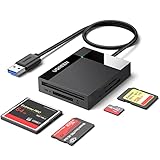
Every other reader here plugs directly into the port, which means the body sticks out and takes the strain. UGREEN puts a 1.7 ft cable between plug and body, so the reader sits flat on the desk. If your USB ports are on the back of a tower or crowded against a hub, that cable is the whole reason to pick this one.
The body measures 2.17 x 2.68 x 0.59 in and weighs 2.82 oz. Slots cover SD, SDXC, SDHC, microSD, microSDXC, microSDHC, UHS-I, CF, CFI, MMC and MS, and UGREEN says all four read and write at the same time. It's the mid-priced pick of the seven, model 30333, released 2018, and the only one here with more than one seller listing it.
Two drawbacks. That captive cable is dead weight in a camera bag, and the connector is USB-A only. The listing also carries conflicting dimension entries, one of which reads 0.39 x 0.39 x 0.39 in, so trust the 2.17 x 2.68 x 0.59 in figure from the feature text.
Pros:
- 1.7 ft cable keeps the body off the port
- Widest named card list among four-slot picks
- Flat 0.59 in profile sits under a monitor stand
- Released 2018, several sellers stock it
Cons:
- Captive cable is awkward for travel
- USB-A only, no USB-C option
- Listing publishes contradictory dimensions
- Warranty listed only as "1", with no unit
5. acer SD Card Reader USB C — Best for beginners
Two slots, 15 g, and 0.39 x 2.8 x 0.67 in, making it the smallest and simplest reader in this set.

Best for: a first reader for someone shooting only SD and microSD Skip it if: you own a single CF card
Two slots is not a failure. It's a match for what most people actually own: an SD card in the camera and a microSD in the drone, the dashcam or the Switch. The acer covers exactly that pair, and it does it in a 15 g body measuring 0.39 x 2.8 x 0.67 in, the smallest published footprint of the seven.
Acer says both slots read and write simultaneously at 5Gbps, with no driver install and plug-and-play operation across PCs, laptops, cameras, phones and tablets with USB-C or USB-A ports. Warranty is stated as 1 Year Manufacturer, model ODK4E0, in grey. For a first reader, the short slot list is a feature: nothing to misidentify, nothing to guess at.
The cost is coverage and price position. It's the second-most expensive pick in this set despite offering the fewest slots, which is a hard trade to justify if you own even one CF or MS card. The listing mentions both USB-C and USB-A compatibility without stating clearly whether an adapter ships, so treat the USB-A path as unconfirmed.
Pros:
- Smallest published body, 0.39 x 2.8 x 0.67 in
- 15 g, lightest pick in the set
- USB-C native, no dongle for modern laptops
- 1 Year Manufacturer warranty
Cons:
- Only two slots, no CF or MS
- Second-highest price position for the fewest slots
- USB-A path not clearly specified
- No use for legacy formats at all
6. ZIYUETEK CF Card Reader, USB 3.0 — Best for heavy use
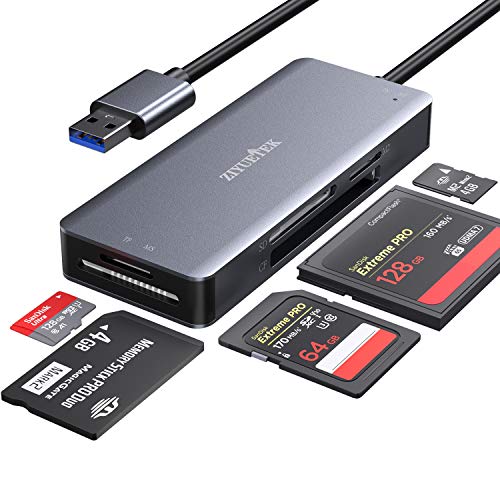
Five slots including M2, in an aluminium alloy shell, with published dimensions of 0.47 x 4.17 x 1.5 in.
Best for: archive work across mixed legacy formats including M2 Skip it if: you plug into a USB-C-only laptop
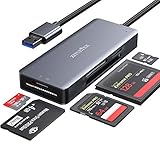
The M2 slot is what separates this one. Nothing else in this set reads Memory Stick Micro, so if a shoebox of old Sony media is why you're shopping, the field narrows to two picks and this is the cheaper of them. Slots cover SDXC, SDHC, SD, microSDXC, microSDHC, microSD, M2, MS and CF, with UHS-I support stated.
ZIYUETEK builds the cover from aluminium alloy and argues it dissipates heat faster and lasts longer than plastic, which is the only material claim in this set. The listing also describes protection against over-current, over-voltage, leakage and short circuit. Both are the manufacturer's claims. Hot swapping is supported with no driver install across Windows XP through 10, macOS, Linux and Chrome OS. Warranty is 1 year, model DEDK-JS-1119-133.
The size is the honest cost. At 4.17 in long it's the longest body with published dimensions here, because five slots need the room. It's also USB-A only and the second-most expensive pick, and no weight is listed.
Pros:
- Five slots including M2, unique in this set
- Aluminium alloy cover, stated heat benefit
- UHS-I support and hot swapping
- 1 year warranty, dimensions published
Cons:
- 4.17 in long, least pocketable four-plus-slot pick
- USB-A only, needs a hub on USB-C machines
- No published weight
- High price position for a legacy-focused reader
7. Rocketek USB3.0 Multi-Card Reader — Best premium
Seven slots including XD and two SD ports, the widest format coverage in this comparison.

Best for: studios digitising old XD and MS cards alongside current SD Skip it if: you want published weight and size figures before buying
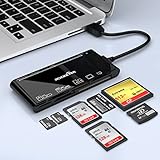
Seven slots, arranged as 1 CF, 2 SD, 1 TF, 1 microSD, 1 XD and 1 MS. The dual SD ports are the genuinely useful part: copying card to card without a middle step is a real workflow, and no other pick here allows it. The XD slot is the other outlier, since XD appears nowhere else in this set.
Rocketek states support for CF, high-speed CF in UDMA mode, SD up to SDXC at 2 TB, SDHC, microSD in all capacities, TF, MS, M2 and XD, at 5Gbps over USB 3.0. Compatibility spans macOS, Linux, Chrome OS and Windows XP through 11, plug-and-play with no driver. Model is SK-CR7, in black, with a USB-A connector.
The gaps are on the spec sheet, not the slot panel. Rocketek publishes no weight, no dimensions and no warranty term, which makes it the thinnest data set of the seven and an awkward pick in a category sold on portability. It's also the most expensive pick here, and the connector is USB-A only. Buy it for coverage, not for the body.
Pros:
- Seven slots, widest coverage in this set
- Two SD ports allow direct card-to-card copying
- Only pick with an XD slot
- States CF UDMA and SDXC up to 2 TB
Cons:
- No published weight or dimensions
- No stated warranty period
- Most expensive pick in this set
- USB-A only, no USB-C option
What the listings don't tell you about card readers
Reading these seven listings against each other exposes some consistent silences.
Simultaneous access isn't the same as simultaneous speed. Six of these picks say they read multiple cards at once. All of them share a single USB 3.0 pipe. Copying from three cards together doesn't triple throughput; it divides it.
Nobody publishes UHS-II support. Four listings name UHS-I explicitly. None claims UHS-II, so if you shoot on a UHS-II card expecting its full rate, this whole category isn't where you'll get it.
Warranty coverage is uneven. Five picks state a term of roughly one year. BENFEI and Rocketek publish none, which is worth weighing given BENFEI is the winner here.
Dimensions go missing exactly where they matter. Two picks omit them entirely and one publishes two contradictory sets. In a category whose selling point is size, that's the field's weakest habit.
Speed figures come from the manufacturer. The 5Gbps number is the USB 3.0 interface ceiling, not a measured file-copy rate. Real throughput depends on your card's own class rating far more than on the reader.
When a different pick wins
The BENFEI is the default, not the answer for everyone. Three specific conditions flip it.
- Your laptop has no USB-A port at all. Then the RRSITIAU or the acer, both USB-C native, avoid the hub entirely.
- You own an M2 or XD card. Then the field is just two readers. ZIYUETEK for M2, Rocketek for XD, and only Rocketek covers both.
- You need to copy from one SD card to another. Only the Rocketek has two SD slots. Nothing else in this set can do it in one pass.
Two smaller flips are worth naming. If the reader will never leave a desk, UGREEN's 1.7 ft cable turns from a drawback into the best ergonomics here. And if you're buying a spare to live in a bag permanently, the SmartQ's 1.12 oz and lowest price position beat the winner on both counts that matter for a backup.
The verdict
Three tiers, three answers.
At the entry level, the SmartQ C368 is the pick. It's the cheapest of the seven, the lightest four-slot body at 1.12 oz, and the one buyers choose most often here. It reads microSD, SD, MS and CF, publishes its dimensions and carries a 1 year warranty. The compromise is a USB-A plug and nothing else.
In the middle sits the winner. BENFEI's 4-in-1 costs a little more than the SmartQ and buys the thing that actually solves problems: a fixed USB-C plug alongside the USB 3.0 one, in a single 2.82 oz piece with no adapter to lose. Four slots, four card types, one connector decision removed permanently. The RRSITIAU is close behind and takes the win outright if a phone rather than a laptop is your usual destination, because its USB-C plug is the primary connector and it publishes a 1 Year warranty.
At the top, the Rocketek's seven slots and dual SD ports earn the highest price position only if you're working through legacy formats. XD and M2 media, or card-to-card copying, justify it. Current SD and microSD shooting does not.
The cutoff is your port panel. USB-C only, go RRSITIAU or acer. Mixed ports, go BENFEI. Legacy media, go Rocketek.
FAQ
Is a compact multi slot memory card reader worth buying over a built-in laptop slot?
A compact multi slot memory card reader is worth it if your laptop has no SD slot, which is now common on thin machines, or if you shoot CF, MS or microSD. Built-in slots handle full-size SD only. All seven picks here add at least two formats, and five add CF. That's coverage no internal slot provides.
What does the best compact multi slot memory card reader cost compared with a single-slot one?
What the best compact multi slot memory card reader costs relative to a single-slot model is a small step up, and the spread inside this set is wider than that gap. SmartQ sits at the bottom, Rocketek at the top, and the difference buys three extra slots rather than faster transfers. Every pick here runs the same 5Gbps interface.
BENFEI or RRSITIAU: which four-slot reader should I pick?
BENFEI or RRSITIAU comes down to whether you want the USB-A plug fixed or detachable. BENFEI builds both connectors into one 2.82 oz body, so nothing is losable. RRSITIAU leads with USB-C and includes a removable adapter, plus a stated 1 Year warranty. Phone-first shooters take RRSITIAU. Everyone switching between machines takes BENFEI.
Will these readers support UHS-II cards at full speed?
These readers won't support UHS-II speeds. Four listings name UHS-I explicitly and none of the seven claims UHS-II, so a UHS-II card will read at UHS-I rates. The USB 3.0 interface on every pick tops out at a stated 5Gbps, which is the bus ceiling rather than a file-copy figure you should plan around.
What mistake do first-time card reader buyers make most often?
The mistake first-time buyers make is ranking readers by slot count and ignoring the connector. A seven-slot USB-A reader is useless on a USB-C-only laptop until you add a hub. Count the cards you actually own, then check your ports. Four of these seven picks are USB-A only, and only three address USB-C directly.
Start with your laptop's ports, not with a spec sheet. If both USB-C and USB-A appear on the machines you use, the BENFEI removes the adapter question for good and covers the four card types most photographers actually carry. If your ports are USB-C only, the RRSITIAU does the same job with a warranty stated on the listing. And if you're buying a spare for the bag rather than a daily driver, the SmartQ at 1.12 oz costs the least here and weighs less than half of anything else with four slots.